Google Review QR Code
A Google review QR code that opens a small hosted page with two equal buttons: "Leave a Google review" takes the customer straight to your Google review form, and "Send private feedback" opens a short form that only you see. Every customer gets the same two choices. There is no rating step in front of the Google button and nothing decides who is invited to review.
Send customers straight to your Google review form
This code points straight at your Google review page and is fixed once printed. A free account turns it into a Reviews & Feedback page that can be:
How a Google Review QR code works
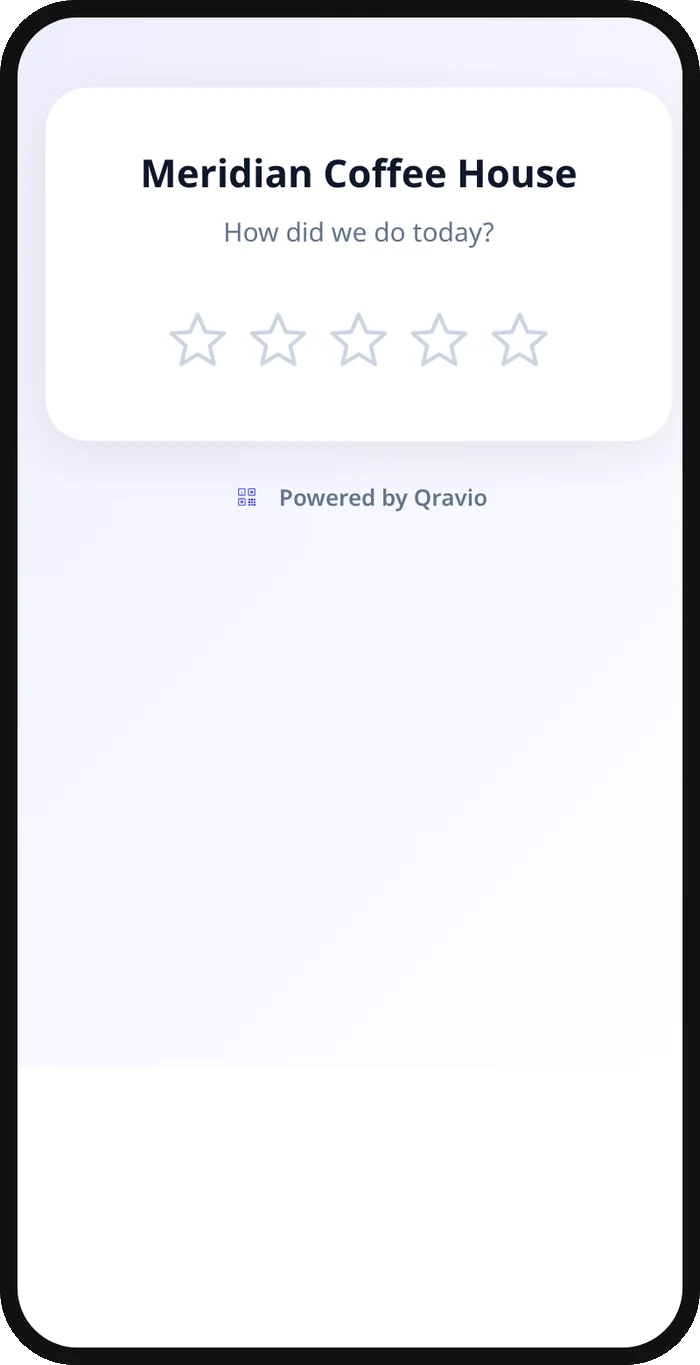
Scanning the code opens a page with your name, a short line such as "We'd love to hear how we did." and two buttons. Tapping "Leave a Google review" redirects to your Google review page, where the customer picks their own stars and writes publicly. Tapping "Send private feedback" opens a form built with Qravio's Lead Capture field builder; it can include an optional 1–5 rating that stays private and never changes anything. Submissions land in your Leads dashboard with an optional email alert, and the thank-you screen still offers the Google review button, so nobody is ever steered away from posting publicly.
What people see after scanning
The page a Google Review QR code opens on a phone. Yours to design — colours, layout and content all change from the builder.
Popular uses
- Restaurant table tents that make a Google review one tap away while giving diners a private line for a cold dish or a slow table
- Salon and spa checkout counters where a client can post a public review or quietly tell the owner about a cut or colour that missed
- Auto shops and service invoices that invite every customer to review and give them a private channel for a billing question
- Hotel and short-term rental checkout cards that collect public reviews and private maintenance or cleanliness notes side by side
- Retail counters and receipts that turn a great purchase into a Google review in one tap
Why create your Google Review QR code with Qravio
Two buttons, same for everyone
Every scanner sees the Google review button and the private feedback button together. Neither is hidden behind a rating, a form or a timer, and nothing a customer says about their visit changes which buttons they see.
Private feedback you can act on
Customers who prefer to tell you directly get a short form with your own questions and an optional star rating. Submissions appear in your Leads dashboard immediately, plus an optional email alert, so you can follow up the same day.
Google always one tap away
The Google review button is on the first screen, inside the feedback form and on the thank-you screen. Private feedback is an extra option, never a filter.
Editable and trackable
Change your Google review link, the wording, the feedback questions or the optional rating anytime without reprinting. Track Google-link clicks, feedback opens and private ratings from your dashboard.
Google Review QR code FAQ
Does this QR code keep bad reviews off Google?
No, and it is not meant to. Every customer sees the same "Leave a Google review" button, whatever they think of their visit. Private feedback is an extra option for people who would rather tell you directly; it does not filter who reaches Google.
What happened to the star rating before the redirect?
It was removed. Sending high ratings to Google and low ratings to a private form is selective solicitation, which Google's review policy prohibits. The optional rating now lives inside the private feedback form, is private to you, and changes nothing about where anyone goes.
Where do the private feedback submissions go?
Every submission appears in your Leads dashboard in real time, with the optional rating if the customer left one, and you can add a notify email to be alerted the moment one arrives.
Is a Google review QR code allowed under Google's review policies?
Asking customers for reviews with a QR code is fine. What Google prohibits is discouraging negative reviews, selectively asking only happy customers, or offering incentives. Qravio's page offers every customer the same Google review button and never rewards a review. How you word your signage is still your responsibility.
Create your Google Review QR code
Free to start. No watermark. Make it dynamic to edit it later and track every scan.